

This article is republished with permission from Wonder Tools, a newsletter that helps you discover the most useful sites and apps. Subscribe here.
Bland AI outputs grow stale quickly. Instead of just speeding up routine tasks, what if we used AI to slow down, challenge our thinking, and build new tools, dashboards, and experiments? Read on for creative approaches that are changing how I think about AI.
1. Create your own devil’s advocate assistant
Get thoughtful pushback on decisions. Challenge ideas.
The tactic: Use AI as an intellectual sparring partner to stress-test your thinking, explore alternative perspectives, and identify potential blind spots before making important decisions.
Try this: Present a plan, idea, or decision to an AI assistant with instructions to challenge your thinking constructively. Identify risks you haven’t considered, consider secondary impacts, and add nuance to your analysis.
Prompt template
“I’m planning to [decision/plan] because [reasoning] and with a goal of [objective]. Play devil’s advocate, give me multiple perspectives on this, be bold, surprising, creative, and thoughtful in your reply, and address these questions:
- What are the strongest arguments against this approach?
- What alternatives should I consider?
- What risks might I be overlooking?
- What questions should I be asking myself?
- What challenges should I expect to face?
- What could I do to gain more insight?
- What could I do to increase the chances of success?
Pro tip: Try asking your AI assistant to role-play. It can respond as a financial advisor, family member, or competitor, for varied viewpoints. Or ask it to act like a person you admire, living or dead, real or fictional.
Limitation: Your AI devil’s assistant will be generic if you don’t provide detailed context. And you may get a predictable response if you don’t instruct it to be bold.
Suggested model: I have found ChatGPT 5 to be excellent for this. Gemini and Claude also work well. If you’re considering anything sensitive, you may want to use a free offline private AI tool like AnythingLLM or Jan. I’ll write more soon about private AI tools like these. If you have input on those, add a comment below.
Example: I described a new planned morning schedule to GPT 5. The subsequent exchange got me thinking about several new issues.
The conversation helped me clarify my own thinking. It pushed me to organize and deepen my own analysis. As a bonus, GPT 5 produced a tangible artifact for me—a PDF with tables.
2. Learn something new
Map out a personalized curriculum.
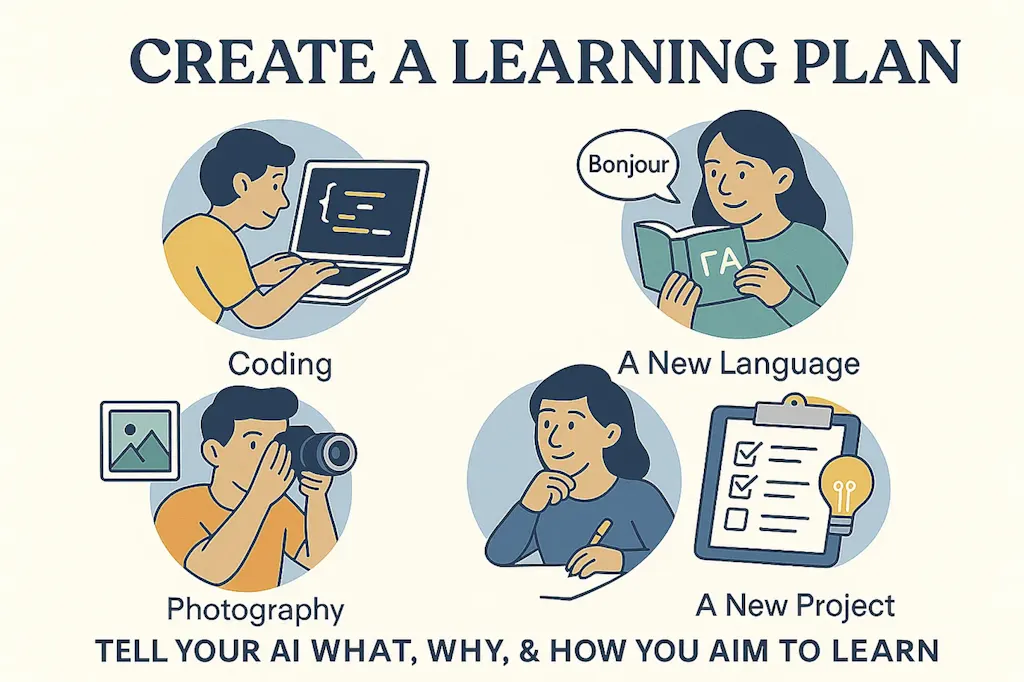
AI tools let me try out skills I thought I was too late to develop, like coding simple applications, designing graphics, analyzing large data sets, and exploring complex docs in other languages.
You can also lean on AI assistants to help you develop offline skills, like learning about photography, improving your Greek, understanding crypto, sharpening project management skills, making bread by hand, or prepping for any new coverage area for a project or team. AI assistants excel at creating structured learning and practice plans tailored to your schedule, style, and goals.
Try this: Give an AI assistant context about what you want to learn, why, and how.
- Detail your rationale and motivation, which may impact your approach.
- Note your current knowledge or skill level, ideally with examples.
Summarize your learning preferences
- Note whether you prefer to read, listen to, or watch learning materials.
- Mention if you like quizzes, drills, or exercises you can do while commuting or during a break at work.
- If you appreciate learning games, task your AI assistant with generating one for you, using its coding capabilities detailed below.
- Ask for specific book, textbook, article, or learning path recommendations using the Web search or Deep Research capabilities of Perplexity, ChatGPT, Gemini or Claude. They can also summarize research literature about effective learning tactics.
- If you need a human learning partner, ask for guidance on finding one or language you can use in reaching out.
Add specificity
- Mention any relevant deadlines. Note budget, time, or other constraints.
- Share info about your existing schedule so the assistant can help map out optimal learning time slots. Making the plan concrete increases the likelihood you’ll follow through. ChatGPT recently generated a calendar file with a list of appointments I could easily import into my Google calendar.
Pro Tip: Ask for help setting up a schedule, setting learning targets, measuring progress, choosing resources, motivating yourself, and implementing backup plans when you fall off track. Ask for a learning plan you can print out, charts you can fill in, interactive apps to track progress, resource lists you can look up, experts you can follow, and strategies for avoiding common pitfalls.
3. Stretch your creative design muscles
Try this: Use AI image generation tools to experiment with visual ideas. Start with simple concepts and iterate to add nuance or complexity. Practice describing visual concepts in text, then see them realized instantly and iterate on your prompts.
- Try MyLens or Napkin for creating mind maps, flow charts, timelines or various other infographics out of detailed prompts or source docs.
- Use Ideogram—detailed in this post—or ChatGPT’s new image generator—detailed in this post—to describe any style of illustration, infographic or other visual.
- For creative video generation, try Hypernatural, which lets you turn text into moving images.
Use this to: Add creative images to presentations, experiment with social media graphics, or generate infographics for teaching, publishing, or project work.
Limitation: AI image generators are improving rapidly but still struggle with precise text placement, detailed charts, and maintaining brand consistency across multiple images. Most don’t let you select specific image dimensions, though Ideogram does.
Examples: I generated the images in this post with ChatGPT and Ideogram, and I’ve used Hypernatural to make video versions of past posts, like this 2-min video about Raindrop, which I wrote about last week.
4. Create a personalized dashboard
Build custom tracking tools and mini-applications
Without knowing anything about code, you can generate simple web applications for tracking anything important to you. Prompt your AI assistant to help you keep tabs on reading or eating goals, fitness metrics, project progress at school or work, or stats for Wordle or your game of choice.
Try this: Ask AI to create a dashboard or tracking tool tailored to your specific needs. Experiment with Claude 4 Artifacts, Gemini’s code canvas. Also try vibe coding tools like Lovable or Bolt that specialize in creating apps and sites based on prompts. For advanced projects, consider Windsurf Cascade.
Pro tip: Plan to iterate. It almost always takes multiple attempts to get something workable, because you realize your needs when you see the first prototype. Start with simple tracking before requesting complex features. Ask for additional functionality with follow-up prompts. Here’a a Prompt Example.
Limitation: The simplest versions of these mini applications work in your browser only. To use an application on multiple devices, you’ll need to save the code and host it with a service that allows you to create a database. For that, try Lovable, Bolt, or Windsurf.
Example: I’m working on a content planning and workflow app to organize and track my newsletter work.
This article is republished with permission from Wonder Tools, a newsletter that helps you discover the most useful sites and apps. Subscribe here.