Close Menu
    Facebook X (Twitter) Instagram
    TRENDING :
    • New Balance’s secret to winning? Think like a challenger
    • Inside the ambitious plan to undo DOGE’s damage
    • Google Glass, Amazon Fire, Friendster: Why great ideas from successful companies fail
    • Three habits undermining your executive presence
    • Domestic Demand Wanes In China
    • Solopreneurship can be dream come true for many. But there’s a hidden cost
    • Germany’s Merz Admits To “Serious Strategic Mistake”
    • Employees in Minnesota are afraid to show up to work
    Compatriot Chronicle
    • Home
    • US Politics
    • World Politics
    • Economy
    • Business
    • Headline News
    Compatriot Chronicle
    Home»Business»5 time-saving Outlook features you’re probably overlooking
    Business

    5 time-saving Outlook features you’re probably overlooking

    September 22, 20253 Mins Read
    Share Facebook Twitter Pinterest LinkedIn Tumblr Telegram Email Copy Link
    Follow Us
    Google News Flipboard
    Share
    Facebook Twitter LinkedIn Pinterest Email


    I’m a big fan of efficiency, mostly because I’m also a big fan of doing as little work as possible while still getting things done.

    Thankfully, Microsoft Outlook is packed with hidden gems and clever little features designed to make work life easier. The only problem: They’re buried under a bunch of menus or just aren’t obvious. Here are five of my favorite built-in Outlook features you might not be using yet.

    Quick Steps

    “Quick Steps” is a neat little automation feature that lets you create a single-click button to perform multiple actions on an email.

    For example, you could have a Quick Step that moves an email to a specific folder, marks it as having been read, and then forwards it to a colleague. Or one that marks it as done and archives it.

    It’s essentially a macro for your email, allowing you to automate those repetitive, multistep actions and get them done in a fraction of the time. Click the Quick Steps button in the main ribbon to start setting them up.
    Focused Inbox

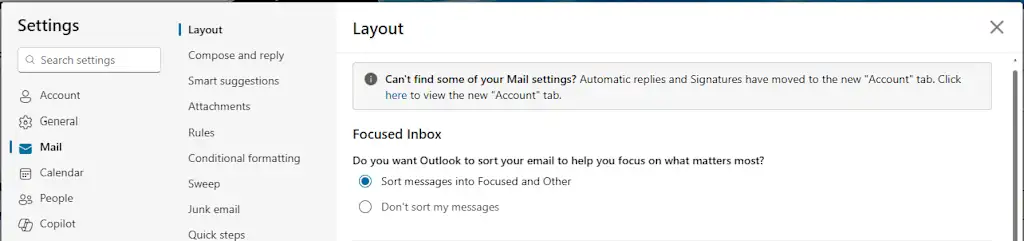
    The best way to deal with email is to not deal with it at all. For that, Outlook has a feature called “Focused Inbox” that uses machine learning to decide which emails are important and which are just noise.

    It automatically sorts your messages into two tabs: “Focused” and “Other.” The “Other” tab is where all the newsletters, notifications, and promotional emails go to live in peace.

    This isn’t a filter you have to set up yourself; it’s a smart system that learns what you care about.

    To enable it, go to Settings > Mail > Layout, and toggle Focused Inbox on.
    Ignore Conversation

    Can you call it a real job if you’re not part of at least one long email chain with a dozen other people, and after the third reply-all, you realize the chain no longer has anything to do with you?

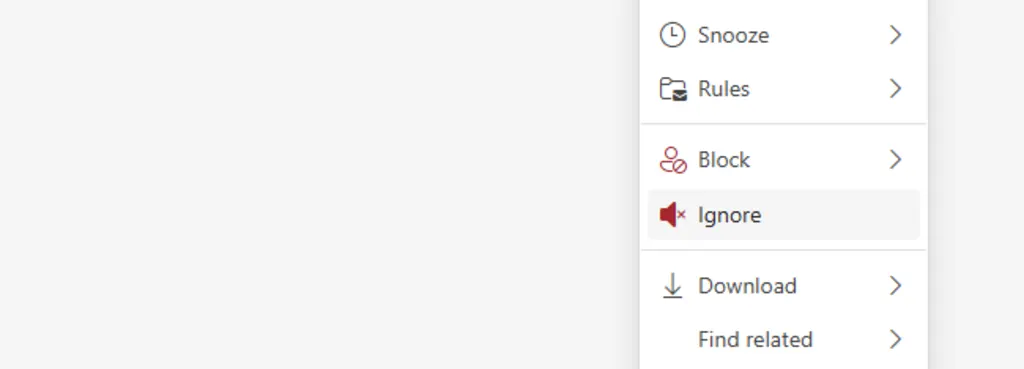
    This is where the “Ignore Conversation” feature comes in. It’s a tiny little lifesaver.

    Select an email in your inbox pane, right-click on it, and choose “Ignore.” Every subsequent message in that thread will automatically be moved to your “Deleted Items” folder. It’s an easy, guilt-free way to excuse yourself from a digital conversation you have no interest in participating in.
    Sweep

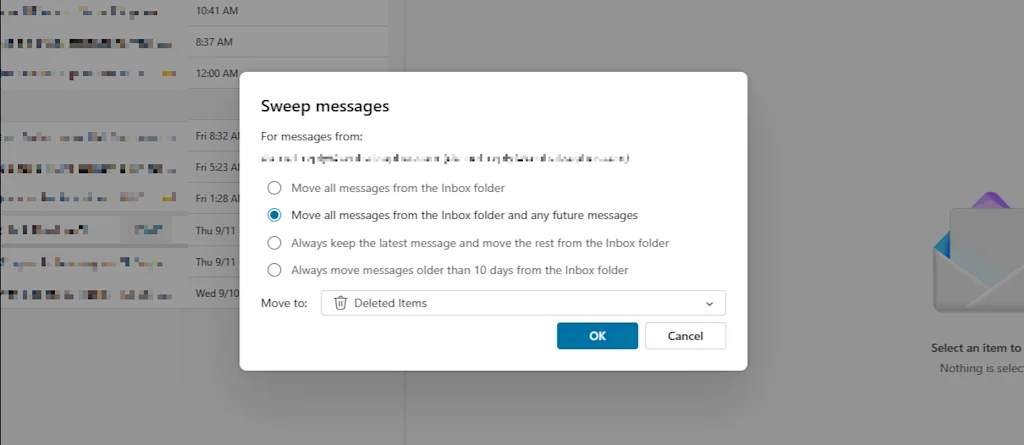
    We’ve all signed up for a service, gotten 100 emails, and then realized we don’t want them anymore. Luckily, Outlook has a “Sweep” feature that automates the whole process of mass deletion.

    It lets you quickly delete all messages from a specific sender, and you can set a rule to automatically delete any future emails from them as they arrive.

    To use it, click Sweep in the main ribbon while viewing a message from a sender you no longer want to hear from, and select how you’d like to treat current and future messages.
    Drag-and-drop meeting scheduling

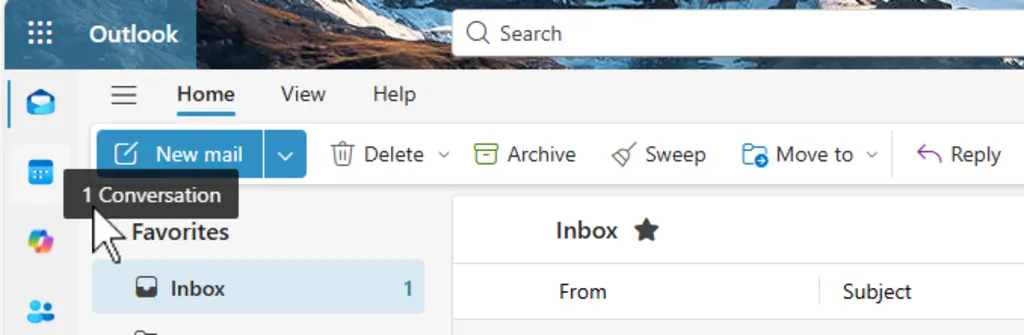
    You’ve received an email from someone, and you need to set up a meeting with them. Just drag and drop the message from your inbox onto your calendar icon.

    Outlook will automatically create a new meeting invitation, with the email subject as the meeting title and the email recipient as an attendee. It’s a huge time-saver when you’re working with multiple clients or colleagues and need to get a meeting on the books in a hurry.


    Source link

    Share. Facebook Twitter Pinterest LinkedIn Tumblr Email

    Related Posts

    New Balance’s secret to winning? Think like a challenger

    January 21, 2026

    Inside the ambitious plan to undo DOGE’s damage

    January 21, 2026

    Google Glass, Amazon Fire, Friendster: Why great ideas from successful companies fail

    January 21, 2026
    Top News

    Trump Withdraws From 66 Globalist Organizations

    By Staff WriterJanuary 9, 2026

    President Trump signed a Presidential Memorandum directing the withdrawal of the United States from 66…

    BP’s CEO shake-up signals the end of its green energy era

    December 19, 2025

    OpenAI Working on LinkedIn Rival, AI to Match Jobs

    September 5, 2025

    Judge Rejects Government Bid to Unseal Material Related to Jeffrey Epstein

    August 17, 2025
    Top Trending

    New Balance’s secret to winning? Think like a challenger

    By Staff WriterJanuary 21, 2026

    Back on December 15th, Dallas Mavericks rookie Cooper Flagg became the youngest…

    Inside the ambitious plan to undo DOGE’s damage

    By Staff WriterJanuary 21, 2026

    A group of former government workers are developing a plan that a…

    Google Glass, Amazon Fire, Friendster: Why great ideas from successful companies fail

    By Staff WriterJanuary 21, 2026

    In the world of business, we tend to believe that success is…

    Categories
    • Business
    • Economy
    • Headline News
    • Top News
    • US Politics
    • World Politics
    About us

    The Populist Bulletin serves as a beacon for the populist movement, which champions the interests of ordinary citizens over the agendas of the powerful and entrenched elitists. Rooted in the belief that the voices of everyday workers, families, and communities are often drowned out by powerful people and institutions, it delivers straightforward, unfiltered, compelling, relatable stories that resonate with the values of the American public.

    The Populist Bulletin was founded with a fervent commitment to inform, inspire, empower and spark meaningful conversations about the economy, business, politics, inequality, government accountability and overreach, globalization, and the preservation of American cultural heritage.

    The site offers a dynamic mix of investigative journalism, opinion editorials, and viral content that amplify populist sentiments and deliver stories that echo the concerns of everyday Americans while boldly challenging mainstream narratives that serve the privileged few.

    Top Picks

    New Balance’s secret to winning? Think like a challenger

    January 21, 2026

    Inside the ambitious plan to undo DOGE’s damage

    January 21, 2026

    Google Glass, Amazon Fire, Friendster: Why great ideas from successful companies fail

    January 21, 2026
    Categories
    • Business
    • Economy
    • Headline News
    • Top News
    • US Politics
    • World Politics
    Copyright © 2025 Populist Bulletin. All Rights Reserved.

    Type above and press Enter to search. Press Esc to cancel.