Close Menu
    Facebook X (Twitter) Instagram
    TRENDING :
    • My LinkedIn Ghostwriting Side Hustle Makes $9K to $12K a Month
    • 75% of Founders Regret Selling Their Business Within a Year — Here’s How to Walk Away With More Than Just Money
    • All 55 European Football Federations Voted to Boycott FIFA
    • The Service Business That Wins AI Search Does These 3 Things
    • The Growth Trap Founders Fall Into When Every Opportunity Looks Too Good to Ignore
    • Market Talk – July 30, 2026
    • That cringey LinkedIn post? You can now report it as ‘AI slop’
    • 5 Ways the Sales Funnel Broke (and How AI is Replacing It)
    Compatriot Chronicle
    • Home
    • US Politics
    • World Politics
    • Economy
    • Business
    • Headline News
    Compatriot Chronicle
    Home»Business»5 free Windows apps that outperform the built-in ones
    Business

    5 free Windows apps that outperform the built-in ones

    November 11, 20254 Mins Read
    Share Facebook Twitter Pinterest LinkedIn Tumblr Telegram Email Copy Link
    Follow Us
    Google News Flipboard
    Share
    Facebook Twitter LinkedIn Pinterest Email


    It’s not the coolest phrase in the world to utter, but here goes: I love Windows.

    Maybe you do too. Maybe you don’t, but you’re forced to use it for work. Whatever the case, for all its positives, Microsoft Windows also bundles in a handful of tools that are either bafflingly archaic or simply underpowered for the demands of the modern user.

    The good news? The best things in life are often free, and it’s never been easier to swap out some of Windows’ default bloat for great free replacements. Here are five that are worth the download.

    Trade File Explorer for Files

    The native File Explorer has received a facelift and tabs, sure, but it still feels sluggish and lacks modern organizational features, and navigating between multiple locations is still clunky. It’s a glorified folder viewer.

    Say hello to Files. This is the file manager Windows should have right now. It’s gorgeous, embracing the sleek Fluent Design of Windows 11 and, more importantly, it features a dual-pane view for dragging files between locations like a pro.

    It also supports file tagging, so you can stop relying on rigid folder hierarchies and start organizing your documents with custom, color-coded tags. And the chef’s kiss: integration with popular cloud drive services.

    Trade Windows Search for Everything

    You hit the search bar, type in the name of a file you know is there, and then watch the little dots dance. Windows Search indexing is notoriously slow and resource-heavy.
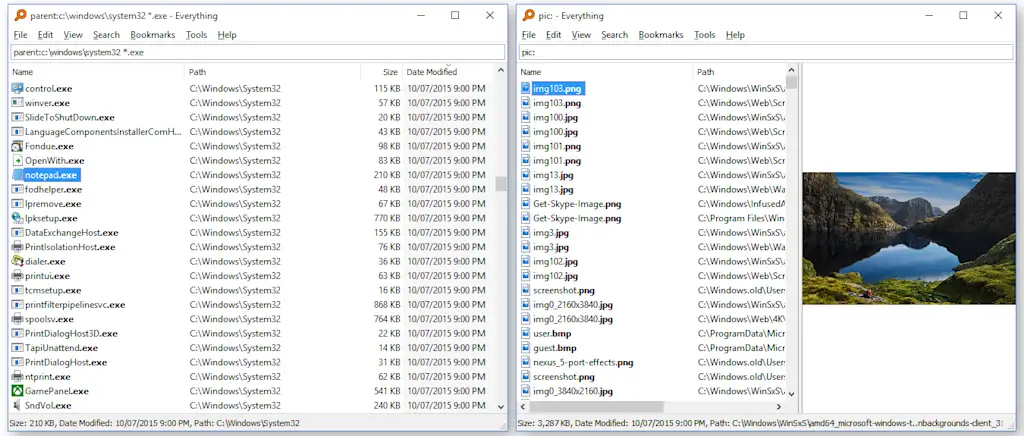
    Instead, try Everything by Voidtools. Instead of indexing file contents, this utility indexes only the file and folder names on your drives. The result is pure speed.

    You start typing, and the results appear instantly. If you know the name of the file you want, Everything will find it before you’ve finished the first syllable.

    Trade the Snipping Tool for ShareX

    The built-in Snipping Tool gets the job done if the job is “take a picture and save it.” But what if you need to capture a scrolling window, annotate with arrows, and instantly upload the image to a shareable link?
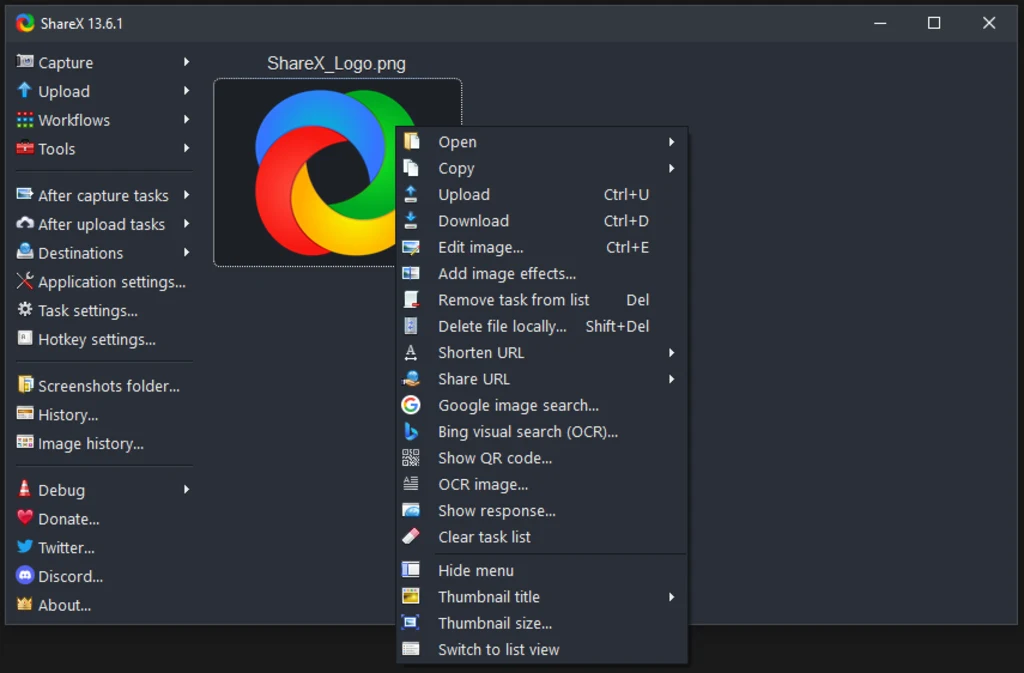
    That’s where ShareX shines. This open-source utility turns a simple screenshot into a complete workflow. After you capture your region (with advanced options like scrolling capture), ShareX can automatically upload it to dozens of online services, shorten the link, and copy that link to your clipboard.

    It eliminates the manual steps of saving, opening the browser, and uploading. It’s a massive productivity multiplier.

    Trade Notepad for Notepad++

    Notepad is a fossil: a blank canvas that knows how to hold text and nothing else. It’s great for pure simplicity, but utterly useless for anything that requires even a basic level of efficiency, like viewing source code or editing config files.
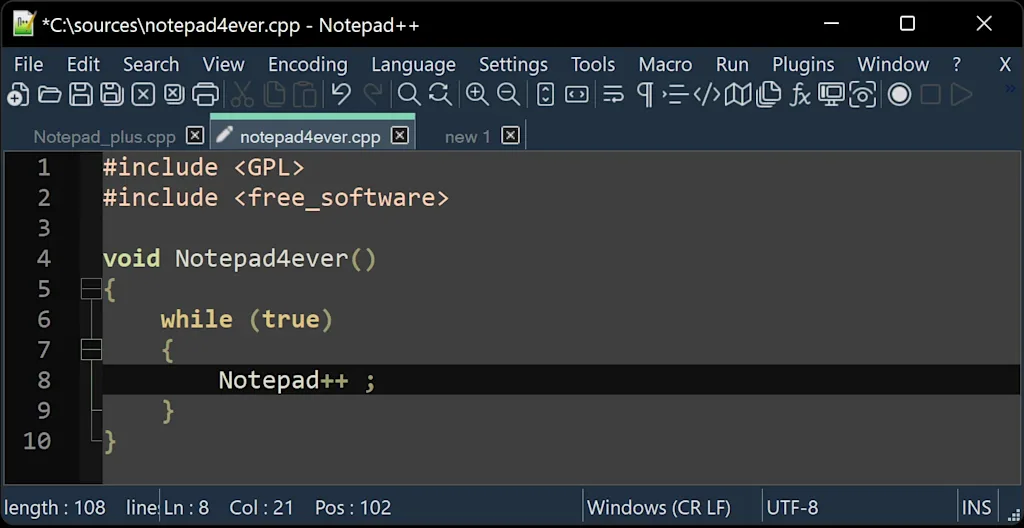
    Notepad++ isn’t just a better text editor; it’s a standard utility for developers and power users.

    It offers tabbed document viewing, syntax highlighting for dozens of languages, and incredibly powerful search-and-replace functionality. It manages large files beautifully and supports the kinds of macros and plug-ins that make working with text-based data infinitely smoother.

    Trade Sound Recorder for Audacity

    Windows’ current Sound Recorder is strictly for capturing audio: a basic, single-track utility with zero editing capability. If you want to trim the beginning, remove background noise, or layer tracks, you’re out of luck.
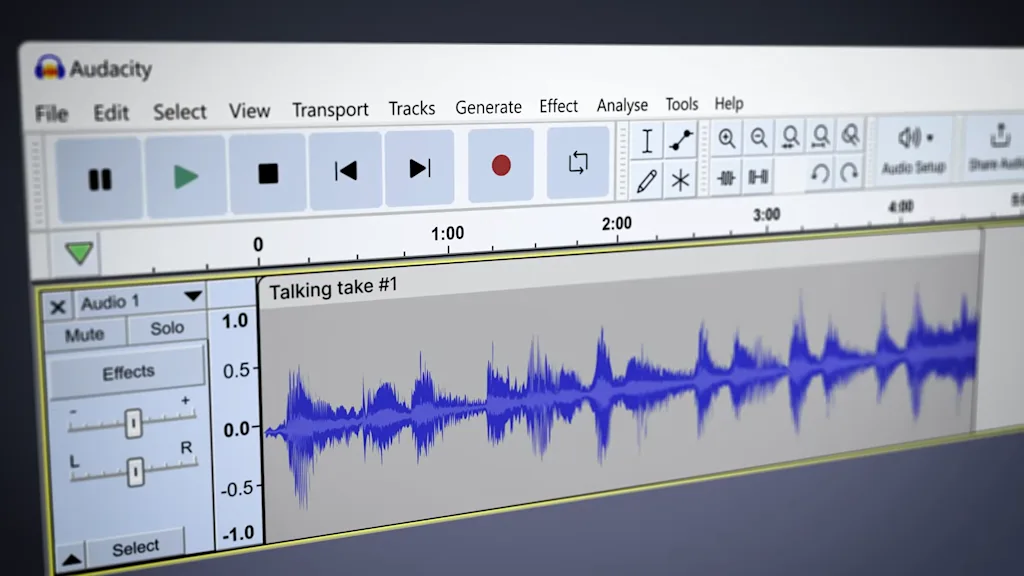
    The godfather of free, open-source audio editing, Audacity is a full-fledged, multitrack digital audio workstation (DAW) that costs zero dollars.

    You can record, edit, mix, and convert audio with a vast library of free effects and tools. Whether you’re cutting an interview clip, cleaning up a podcast recording, or digitizing an old cassette, Audacity offers pro-level features that blow the built-in Windows recorder out of the water.


    Source link

    Share. Facebook Twitter Pinterest LinkedIn Tumblr Email

    Related Posts

    My LinkedIn Ghostwriting Side Hustle Makes $9K to $12K a Month

    July 31, 2026

    75% of Founders Regret Selling Their Business Within a Year — Here’s How to Walk Away With More Than Just Money

    July 31, 2026

    All 55 European Football Federations Voted to Boycott FIFA

    July 30, 2026
    Top News

    Market Talk – April 29, 2026

    By Staff WriterApril 29, 2026

    ASIA: The major Asian stock markets had a mixed day today: • NIKKEI 225 closed…

    Why the Fed’s independence from the White House is guarded so closely

    January 13, 2026

    5 AI podcasts that explain it all

    February 23, 2026

    Commerce Secretary Howard Lutnick admits to meeting Epstein, reversing previous claims

    February 10, 2026
    Top Trending

    My LinkedIn Ghostwriting Side Hustle Makes $9K to $12K a Month

    By Staff WriterJuly 31, 2026

    Key Takeaways Dunham messaged potential clients on LinkedIn and charged $300 per…

    75% of Founders Regret Selling Their Business Within a Year — Here’s How to Walk Away With More Than Just Money

    By Staff WriterJuly 31, 2026

    Opinions expressed by Entrepreneur contributors are their own. Key Takeaways Selling a…

    All 55 European Football Federations Voted to Boycott FIFA

    By Staff WriterJuly 30, 2026

    Last week, FIFA announced plans to sell a $20 billion stake in…

    Categories
    • Business
    • Economy
    • Headline News
    • Top News
    • US Politics
    • World Politics
    About us

    The Populist Bulletin serves as a beacon for the populist movement, which champions the interests of ordinary citizens over the agendas of the powerful and entrenched elitists. Rooted in the belief that the voices of everyday workers, families, and communities are often drowned out by powerful people and institutions, it delivers straightforward, unfiltered, compelling, relatable stories that resonate with the values of the American public.

    The Populist Bulletin was founded with a fervent commitment to inform, inspire, empower and spark meaningful conversations about the economy, business, politics, inequality, government accountability and overreach, globalization, and the preservation of American cultural heritage.

    The site offers a dynamic mix of investigative journalism, opinion editorials, and viral content that amplify populist sentiments and deliver stories that echo the concerns of everyday Americans while boldly challenging mainstream narratives that serve the privileged few.

    Top Picks

    My LinkedIn Ghostwriting Side Hustle Makes $9K to $12K a Month

    July 31, 2026

    75% of Founders Regret Selling Their Business Within a Year — Here’s How to Walk Away With More Than Just Money

    July 31, 2026

    All 55 European Football Federations Voted to Boycott FIFA

    July 30, 2026
    Categories
    • Business
    • Economy
    • Headline News
    • Top News
    • US Politics
    • World Politics
    Copyright © 2025 Populist Bulletin. All Rights Reserved.

    Type above and press Enter to search. Press Esc to cancel.