Close Menu
    Facebook X (Twitter) Instagram
    TRENDING :
    • How to use AI to give yourself a head start at a new job
    • Your UNO skills could be worth $50,000 thanks to Mattel’s new tournament
    • These 2 tools make it easy to create standout visuals
    • Nuclear power is China’s key for transitioning to a fully renewable grid design
    • Why are ‘Woke 1’ and ‘Woke 2’ suddenly going viral? AOC ‘crazy’ comment sparks internet debate
    • The art of asking questions in a world full of answers
    • Why Spirit Airlines’ internal data has become a hot commodity for AI companies
    • How the yellow school bus became an iconic symbol in America
    Compatriot Chronicle
    • Home
    • US Politics
    • World Politics
    • Economy
    • Business
    • Headline News
    Compatriot Chronicle
    Home»Business»Turn your handwriting into a font for Android, Windows, or MacOS
    Business

    Turn your handwriting into a font for Android, Windows, or MacOS

    August 8, 20264 Mins Read
    Share Facebook Twitter Pinterest LinkedIn Tumblr Telegram Email Copy Link
    Follow Us
    Google News Flipboard
    Share
    Facebook Twitter LinkedIn Pinterest Email


    Handwriting has personality. Get to know someone well enough and their handwriting will remind you of them, because we all form letters just a bit differently.

    Our devices, for the most part, lack that kind of personality. Sure, you can choose a font from a drop-down list in your word processor of choice—but it’s not the same.

    So what if you could inject some of that unique-to-you personality into your digital discussions? It’s possible—with the right free tool at your fingertips.

    This tip originally appeared in the free Cool Tools newsletter from The Intelligence. Get the next issue in your inbox and get ready to discover all sorts of awesome tech treasures!

    Your handwriting, your font

    ​FontCrafter​ is a free web app that can turn your handwriting into a font.

    ➜ Just download a PDF, fill it in by hand, and the site will create a completely custom font exclusively for you based on your writing.

    ⌚ It takes around 15 minutes from start to finish—and then the custom font is yours forever to use on any device you want, without any additional setup.

    For perspective, that’s nothing compared to the typical laborious process of creating an actual custom typeface. FontCrafter takes something that’d ordinarily be out of reach for most of us and makes it downright easy.

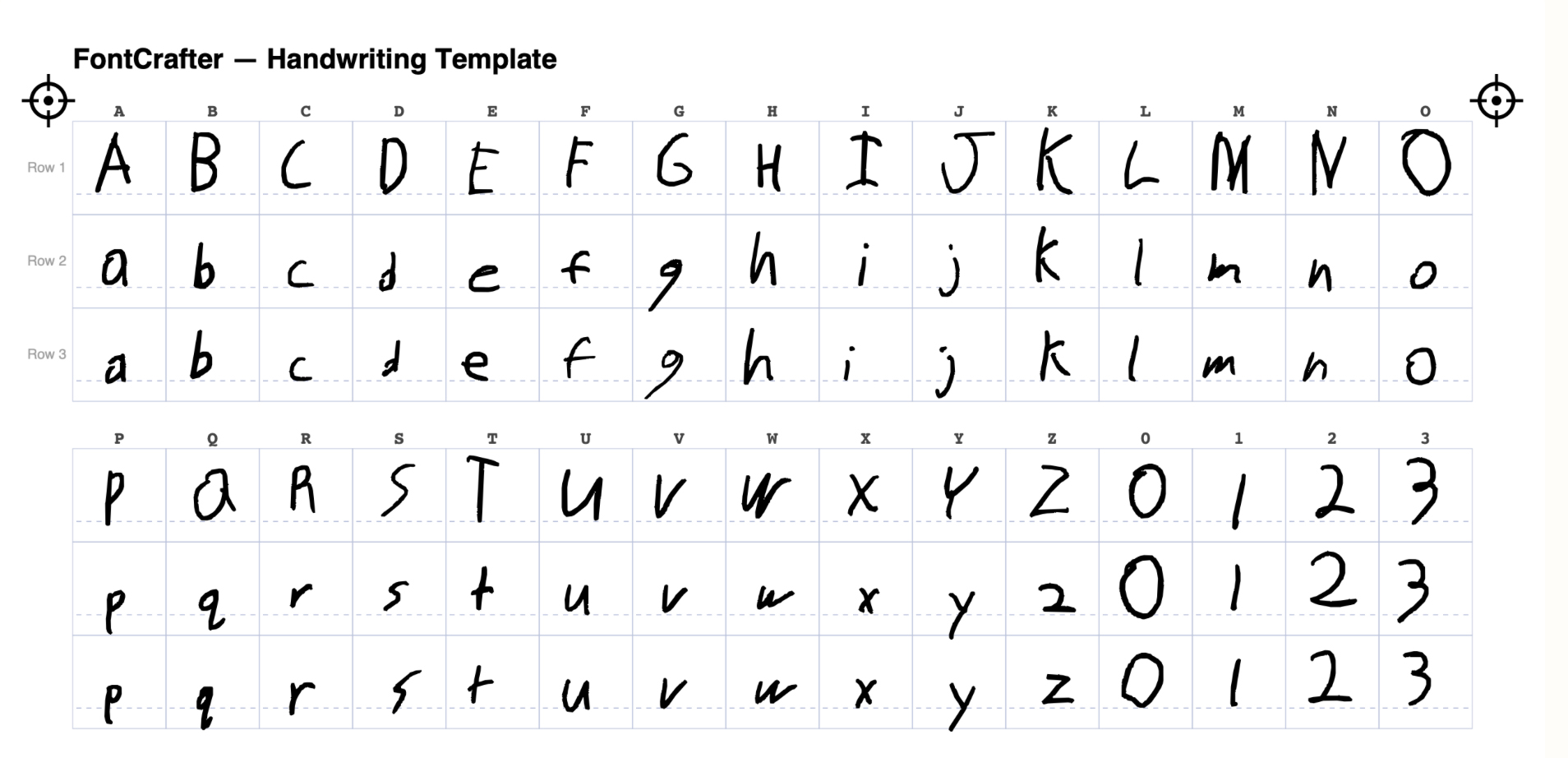
    ✅ As for the specifics, when you visit the website, you can download a PDF template to start. The idea is that you’ll print out the PDF and then fill it in by hand to show every letter and character in your natural writing.

    The template gives you three lines. I filled out the first with uppercase letters and the next two with lowercase ones, but you can do all with uppercase letters if you prefer. Providing multiple versions of letters is meant to introduce a bit of variation, allowing the typed text from your font to look more natural.

    FontCrafter starts by having you fill in each letter multiple times.

    When you’re done filling out the form, you’ll need to scan it and upload it back to the website, making sure the crosshair symbols in the corners are included. This is going to work best with an actual physical scanner, because a certain amount of precision is needed—but you could always try using the built-in scanning function in Google Drive​ or another such app, if you want. 

    ⛔ If you don’t have a printer or a scanner handy, there are workarounds. I used my ReMarkable writing tablet, which made the process easy. You could do the same thing with an iPad or Android tablet or even just with a stylus or your finger on your phone, depending on what you have handy. Just note that having a stylus is going to result in more realistic-looking text than using your finger, for obvious reasons.

    However you go about it, once you’ve got your template filled out, head back to the website and submit it. The web application will process it, right in your browser, then ask you if you want ligatures (a custom character shape created when two letters merge into a single joined form) or not. Just choose whatever option looks best to you.
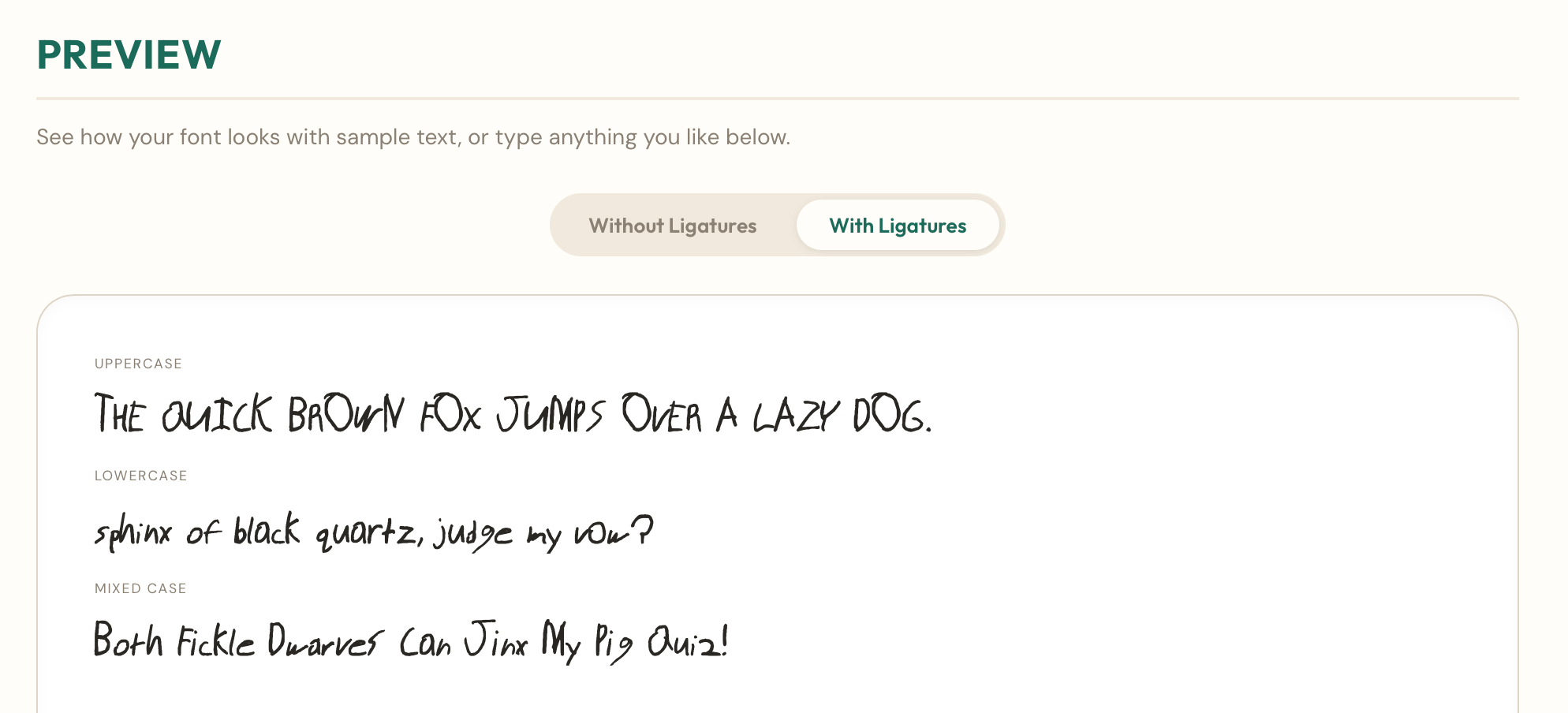
    You’ve got a couple options for how your custom handwriting font appears.

    Last but not least, you’ll have your font ready to download in whatever format you prefer. Both TrueType and OpenType are available, and both will work with most devices and software that supports custom fonts in the first place. 

    All that’s left is to install the font in your operating system—something that’s possible with Android​ as well as Windows​ and ​MacOS​—and use it in whatever applications you like. 
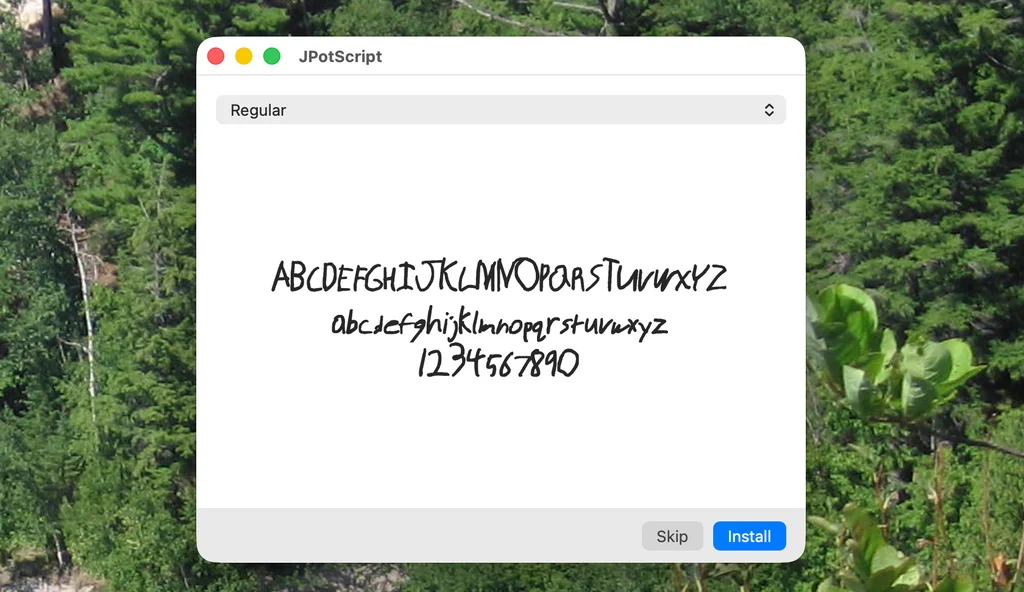
    Once your font is finished, you can install it anywhere that accepts custom font uploads.

    Is this practical? Possibly not. But is it cool to turn your handwriting into a font? Definitely. I’m enjoying it, even though my handwriting is awful. Just imagine how well it will work for you, a much cooler person with much better penmanship than me.

    • FontCrafter runs right in your regular web browser​—no downloads or installations needed.
    • It’s completely free to use, without any limitations (or even ads). You can opt to make a contribution to its creator if you want.
    • The service is a client-side web app, meaning it’s 100% private and everything happens locally on your own device. Your handwriting is never uploaded to a server, no accounts or sign-ins are required, and no one has any access to any of your data.

    Treat yourself to all sorts of brain-boosting goodies like this with the free Cool Tools newsletter—starting with an instant introduction to an incredible audio app that’ll tune up your days in truly delightful ways.


    Source link

    Share. Facebook Twitter Pinterest LinkedIn Tumblr Email

    Related Posts

    How to use AI to give yourself a head start at a new job

    August 23, 2026

    Your UNO skills could be worth $50,000 thanks to Mattel’s new tournament

    August 23, 2026

    These 2 tools make it easy to create standout visuals

    August 23, 2026
    Top News

    Noodles & Company closed dozens of restaurants last year. Here’s why is the stock price soaring in 2026

    By Staff WriterMarch 27, 2026

    As part of a strategic move to optimize its store footprint, Noodles & Company closed…

    Dry Skin Sparked This Eight-Figure Men’s Skincare Brand

    September 10, 2025

    The Twitter domain is officially being retired. Here’s what to do to make sure your account doesn’t get locked

    October 27, 2025

    Key Regulations for Employment Background Checks in California

    November 8, 2025
    Top Trending

    How to use AI to give yourself a head start at a new job

    By Staff WriterAugust 23, 2026

    When you start a new job there is a lot to learn.…

    Your UNO skills could be worth $50,000 thanks to Mattel’s new tournament

    By Staff WriterAugust 23, 2026

    It’s time to find out who really is the most competitive player…

    These 2 tools make it easy to create standout visuals

    By Staff WriterAugust 23, 2026

    This article is republished with permission from Wonder Tools, a newsletter that helps…

    Categories
    • Business
    • Economy
    • Headline News
    • Top News
    • US Politics
    • World Politics
    About us

    The Populist Bulletin serves as a beacon for the populist movement, which champions the interests of ordinary citizens over the agendas of the powerful and entrenched elitists. Rooted in the belief that the voices of everyday workers, families, and communities are often drowned out by powerful people and institutions, it delivers straightforward, unfiltered, compelling, relatable stories that resonate with the values of the American public.

    The Populist Bulletin was founded with a fervent commitment to inform, inspire, empower and spark meaningful conversations about the economy, business, politics, inequality, government accountability and overreach, globalization, and the preservation of American cultural heritage.

    The site offers a dynamic mix of investigative journalism, opinion editorials, and viral content that amplify populist sentiments and deliver stories that echo the concerns of everyday Americans while boldly challenging mainstream narratives that serve the privileged few.

    Top Picks

    How to use AI to give yourself a head start at a new job

    August 23, 2026

    Your UNO skills could be worth $50,000 thanks to Mattel’s new tournament

    August 23, 2026

    These 2 tools make it easy to create standout visuals

    August 23, 2026
    Categories
    • Business
    • Economy
    • Headline News
    • Top News
    • US Politics
    • World Politics
    Copyright © 2025 Populist Bulletin. All Rights Reserved.

    Type above and press Enter to search. Press Esc to cancel.