

The new Adobe Premiere Mobile is now available for free in the Apple Store. It promises “pro-level” video editing for YouTube and TikTok pros—or anyone who needs cutting multiple tracks of video at 4K resolution together with motion graphics, subtitles generation, overlay captions, AI-generated stickers, and a never-ending list of technical features.
That’s cool, but Adobe really had me on board when it showed off its AI sound generator, which can interpret your vocals to generate actual effects. Like you hum, “pa-pa! pa-pa! Paaaaa-para-pa-PA!” in your iPhone’s microphone, ask Premier to turn it into a fanfare, and it will remake your voice into a full orchestral 20th-Century-Foxy intro. It’s a fun feature that will save people countless hours going through never-ending lists of sound effects and music clips for their video edits.
But please disregard my childhood Freddie Mercury dreams for a minute. The new Premiere looks like an excellent upgrade to Adobe Premiere Rush, the company’s previous free mobile video app. Rush looked bad and behaved even worse. Its interface was too hard and imprecise for my fat fingers to navigate on a tiny screen, and its feature set was lacking at best. Users often complained about the app simply not working.
Adobe promises that this will not happen with the new Premiere Mobile, which is supposed to handle 4K HDR video with ease on any modern iPhone thanks to its new native iOS architecture.
“Premiere Mobile is built from the ground up to take advantage of the core technology the iPhone offers”, says Mike Folgner, director of product management, digital video and audio at Adobe. “Creators want frame-by-frame precision, responsive and fast performance, and the ability to work across multiple tracks with full creative control. We saw how excited creators were about infinite layers in Photoshop mobile, and we knew we needed to bring that same freedom to Premiere mobile where we’re offering creators unlimited tracks.”
Its unlimited multitrack timeline actually works like the desktop version, the company claims, editing with frame-accurate precision.
“We know that more and more content is being created entirely on mobile, from quick, short-form clips to more advanced edits,” Folgner tells me. “It’s important to us that we meet creators where they are and empower all creators to tell their stories. “With Premiere Mobile, our goal is to provide the precision and control needed for complex edits, while keeping the experience intuitive for those just getting started.”
A new look
Aesthetically, the new app’s interface seems to have taken a page from the successful Photoshop Mobile, with new, bolder control handles and style. Indeed, as Folgner points out, they have applied the same design principles and language to the new app. “We’re making significant strides so that if a user is familiar with a toolset or interaction in one app, they can easily recognize and understand it in another,” he says.
It seems that Adobe has finally figured out that a tiny phone display requires an entirely different interface. The larger controls and AI-aided features—from the way clips get cut and snap to each other to its one-click background removal feature—will help with that.
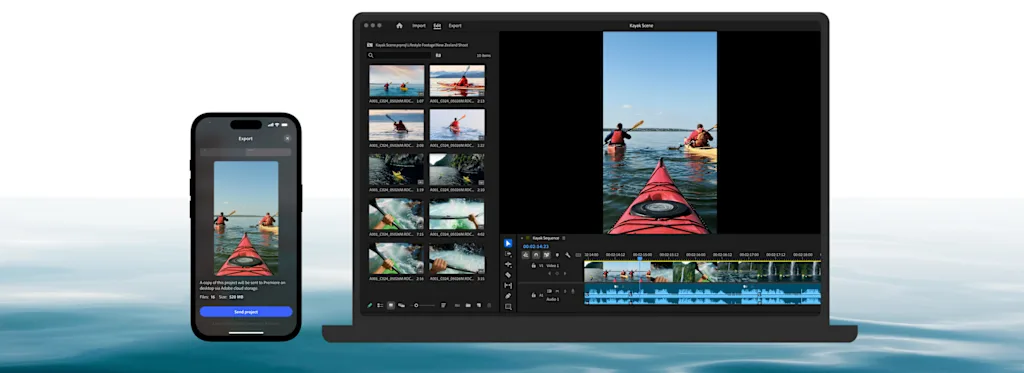
At least one beta tester is happy with the UX redesign. YouTuber and designer Mai Pham believes “it is just truly built differently.” When I asked her how, she say it’s built for mobile workflows, and that it is a “game changer.”
For Pham, “the large timeline view really makes it feel powerful, but still intuitive on a phone. It’s not just a desktop tool squeezed into mobile, it’s designed differently, and I can’t wait to see how it grows and evolves.” Folgner says Adobe has worked with hundreds of creators throughout several stages of the process to shape the new app with their feedback. He claims that beta testers are excited about “how more efficient, unconstrained, and fluid” the new app is.
Music to my lips
The Generative Sound Effects tool is what stole my attention, however. It’s a good example of how AI can actually help the creative process. Premiere Mobile doesn’t make you search in a database to slap a stock audio clip onto your timeline: it creates perfectly timed sound elements based on text prompts and voice input. You describe the sound you want, hum the timing, and the AI builds custom audio that matches exactly what you want.
This matters because most creators spend ridiculous amounts of time hunting through stock audio libraries or recording their own Foley effects. Now they can conjure soundscapes with their mouths.
The app also includes a speech enhancing feature, another must-have AI feature when it works. In theory, it transforms amateur audio recordings from your phone’s mic into crystal-clear voiceovers by removing echo and background noises.
AI galore
Adobe is leaning hard on AI for many other functions. The new app includes a way to generate animated captions following different styles, with automatic subtitle generation, motion effects, and cinematic transitions all powered by AI.
It also has automated color grading tools to unify your clips’ looks or change the mood of your video. These are handled with a single finger in what Adobe calls tap-to-adjust functionality.
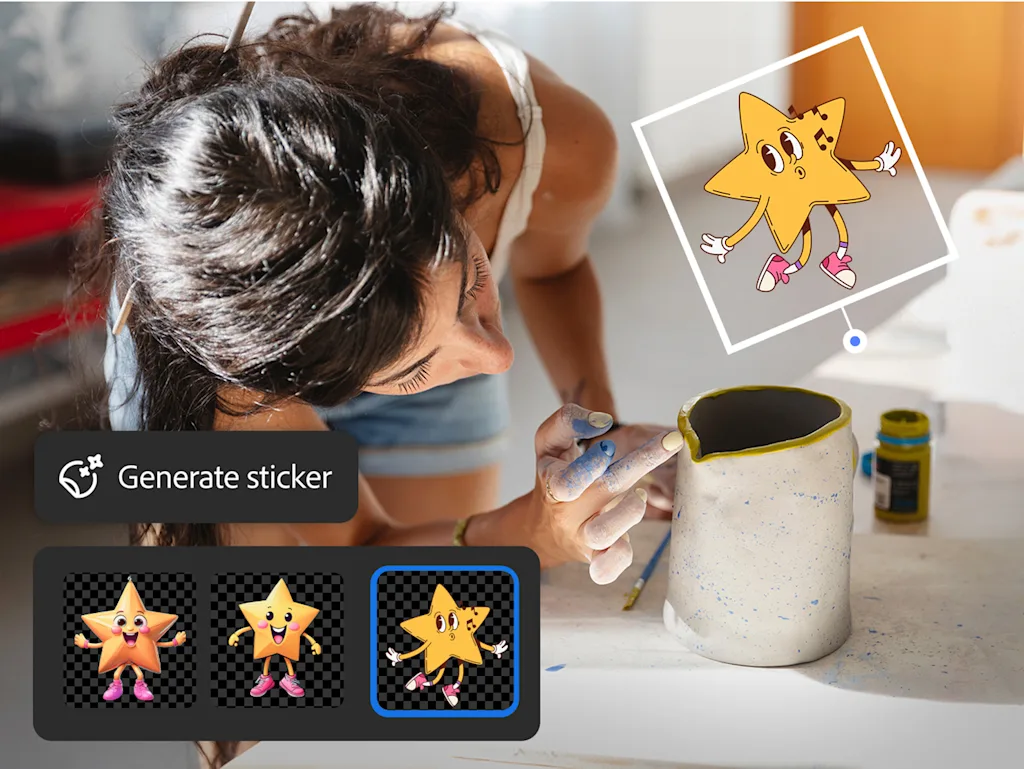
Adobe also claims that its Firefly-based tools will let users generate “commercially safe” stickers, turn images to video clips directly within the mobile interface, and expand the background of a video clip.
Finally, one-tap exports automatically resize videos for every major social platform including TikTok, YouTube Shorts, or Instagram, keeping the main action in frame again using AI. This intelligent export system, Adobe claims, creates platform-optimized versions with proper aspect ratios and compression settings.
Adobe Premiere Mobile is available now for—”paPA-paPAAAAAA!”—free.