Close Menu
    Facebook X (Twitter) Instagram
    TRENDING :
    • Your Customers Just Got an AI Agent. Is Your Business Ready?
    • Nearly half of U.S. mortgages have one thing in common, and it’s creating a huge problem
    • How Google, Amazon, and Meta are trying to win over communities pushing back against data centers
    • France & The Demise Of Macron
    • American Express and Airbnb just announced a major partnership. Here’s what changes for cardholders
    • This founder built the RV he wanted for ski trips. It led to a $20 million business
    • eBay layoffs: Hundreds of jobs slashed with stock riding high. ‘Our strategy is working,’ says CEO
    • Why The Best Leaders Leave the Boardroom for the Frontlines
    Compatriot Chronicle
    • Home
    • US Politics
    • World Politics
    • Economy
    • Business
    • Headline News
    Compatriot Chronicle
    Home»Business»Don’t use Kindle to find your next great read—use this free app instead
    Business

    Don’t use Kindle to find your next great read—use this free app instead

    October 17, 20264 Mins Read
    Share Facebook Twitter Pinterest LinkedIn Tumblr Telegram Email Copy Link
    Follow Us
    Google News Flipboard
    Share
    Facebook Twitter LinkedIn Pinterest Email


    Reading is great. Finding something to read is annoying.

    We all know the saying “don’t judge a book by its cover,” but what else are you supposed to judge a book by? Whether you’re walking through a bookstore or library or scrolling through a collection on your favorite reading device, the cover is inevitably going to be the first thing you notice.

    Maybe the art will stand out, or maybe you’ll see a name you recognize. But it’s hard to know what, exactly, you’re going to like without actually reading some of the words inside.

    Today’s tool is a clever way to get around that and find the perfect read for you—without relying on the most superficial initial impression.

    This tip originally appeared in the free Cool Tools newsletter from The Intelligence. Get the next issue in your inbox and get ready to discover all sorts of awesome tech treasures!

    An absurdly clever discovery engine

    The next time you want to find something spectacular to read, remember a site called ​Uncovered.ink​.

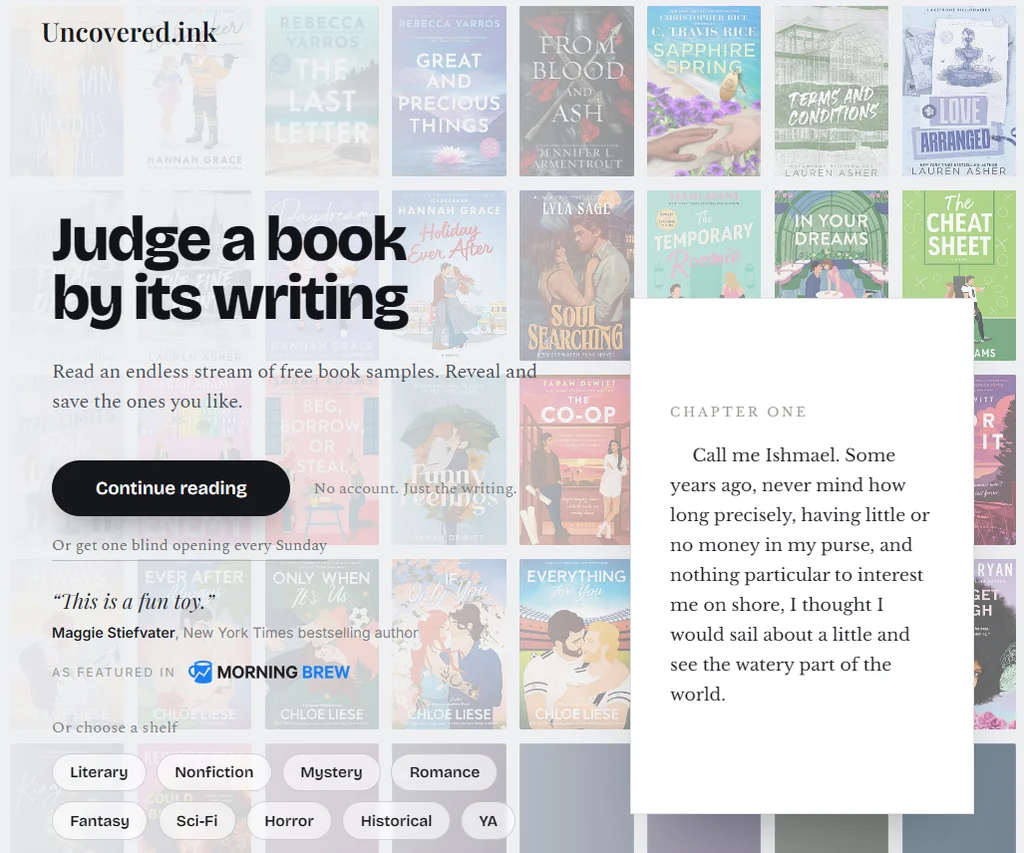
    Uncovered.ink solves the book-discovering challenge by not showing you a book’s cover at all—instead, you see a preview of the actual opening chapter. It’s a thoughtful way to find new books to read without being influenced by the usual external variables.

    ➜ Think TikTok or Tinder for books: You get a quick glimpse at what something’s all about and keep reading if you’re interested—or swipe to the next book if not.

    ⌚ Just open up the site​ to start browsing immediately, in a matter of seconds. There’s no need for an account or any sort of sign-in.

    Uncovered.ink works almost instantly—no sign-ins or account creation required.

    ✅ When you click or tap the button to get going, you’ll immediately see the opening chapter of a book. You can scroll up and down to switch to another book, if you want, or you can tap the book to flip through the pages. The arrow keys also work, if you’re on a desktop computer. 
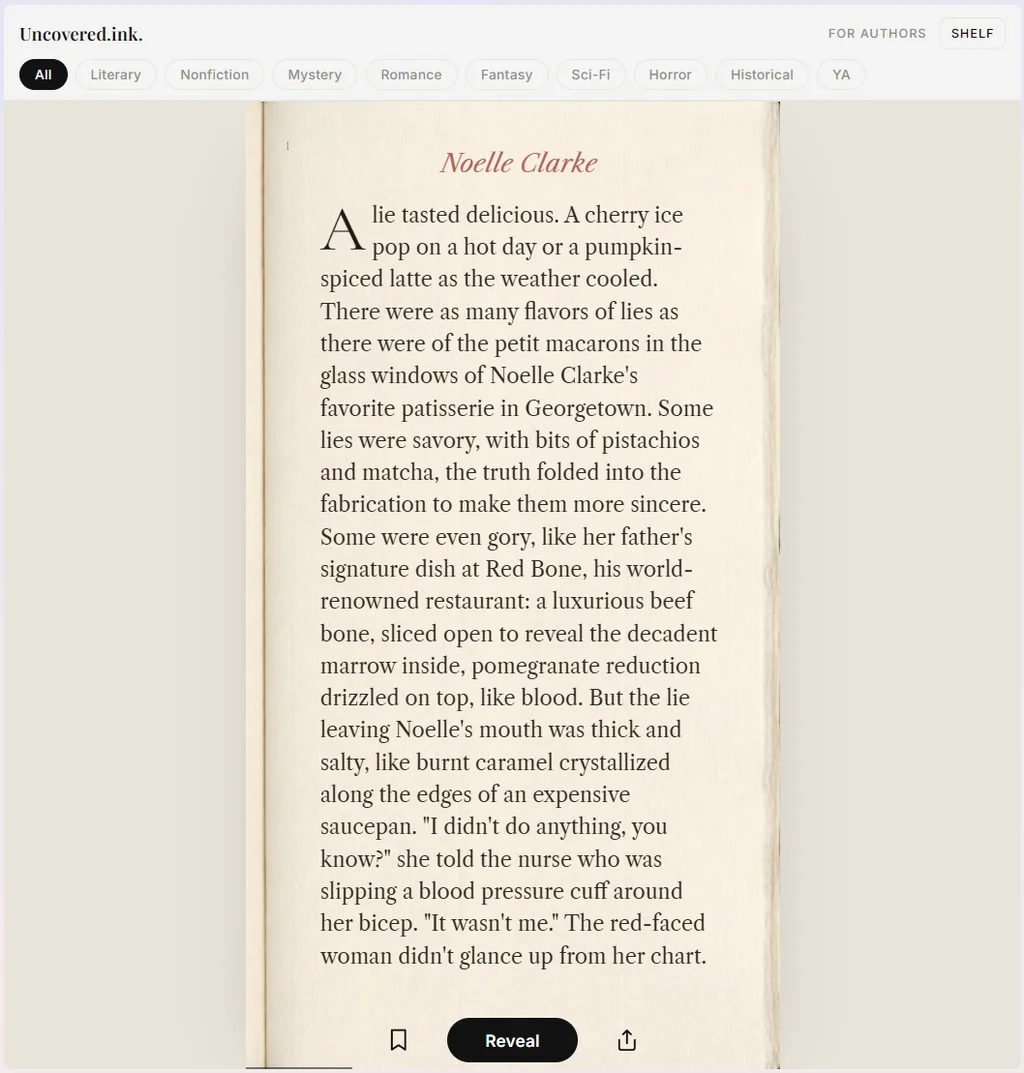
    The site has you blindly read the opening chapter of a book to see if it’s for you.

    Once you’ve read the opening, the book’s cover, title, and author will be revealed to you—along with a link to buy the book or find it at your local library, if you’d like a physical copy. There are around 1,500 books in the service, meaning you can scroll for a long time until you find something you like. And you can filter by genre, too, if you want. 
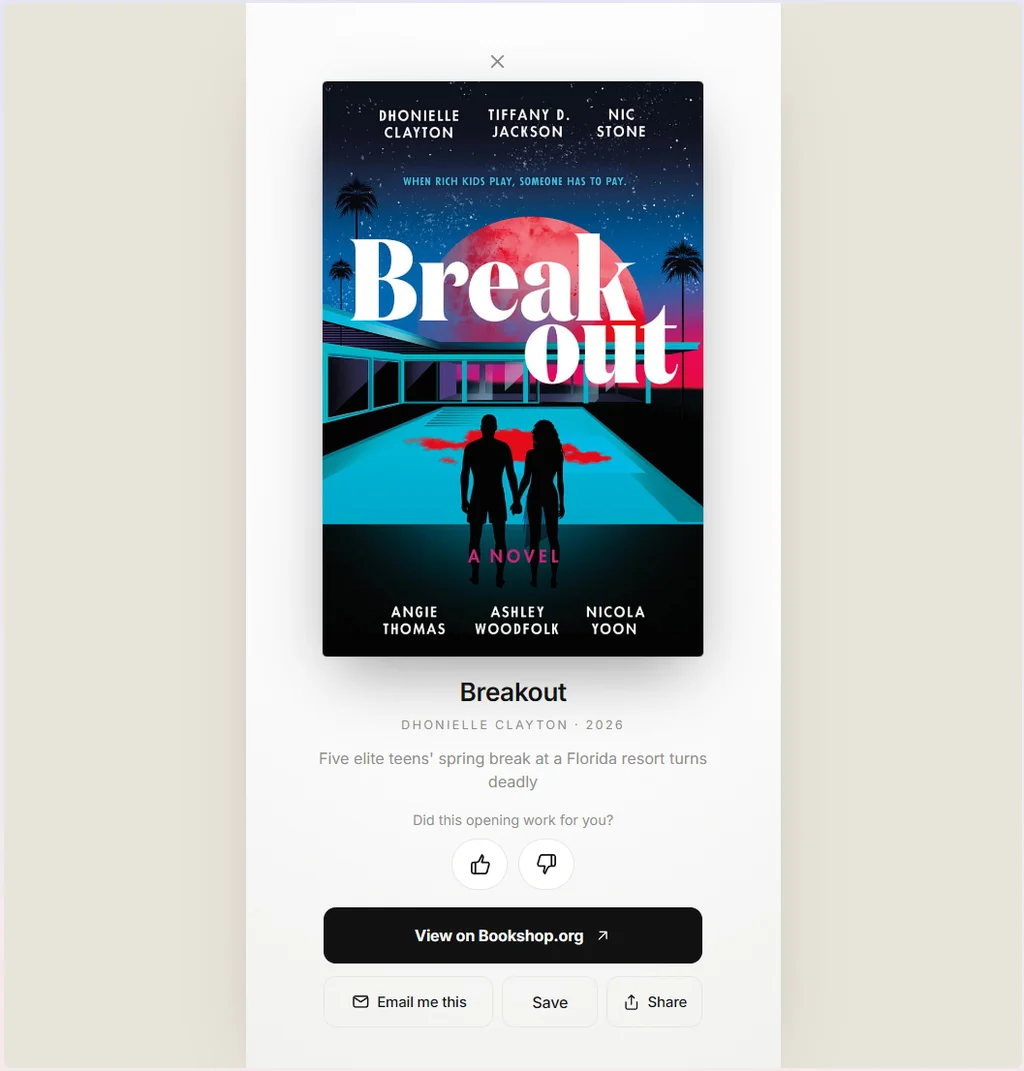
    If you like what you read, Uncovered.ink directs you to the title—for buying, downloading, whatever you prefer.

    ☝️ You can even get fresh new excerpts to read without having to keep going back to the site time and time again. There’s an email newsletter​, which brings a recommendation to your inbox every week, and there’s ​an RSS feed​, which gives you the first few paragraphs of a different book every day.

    Whichever path you choose, it’s a smart new way to find something new to read, whenever the need arises—and it absolutely qualifies as a Cool Tool that’ll add an extra dose of delight into your life.

    • Uncovered.ink is ​entirely web-based​, so it’ll work in any browser on any device you’re using—no downloads needed.
    • The site is completely free to use.
    • And you don’t have to sign in or share any personal info (unless you opt to sign up for the weekly emails). A browser cookie does keep track of any books you save, but that’s pretty much it.

    Treat yourself to all sorts of brain-boosting goodies like this with the free Cool Tools newsletter—starting with an instant introduction to an incredible audio app that’ll tune up your days in truly delightful ways.


    Source link

    Share. Facebook Twitter Pinterest LinkedIn Tumblr Email

    Related Posts

    Your Customers Just Got an AI Agent. Is Your Business Ready?

    October 22, 2026

    Nearly half of U.S. mortgages have one thing in common, and it’s creating a huge problem

    October 22, 2026

    How Google, Amazon, and Meta are trying to win over communities pushing back against data centers

    October 22, 2026
    Top News

    Oracle is the latest tech company slashing jobs over AI

    By Staff WriterMarch 12, 2026

    Much like its peers in the tech industry, Oracle is pouring money into AI infrastructure.…

    Do you still need to pay taxes during a government shutdown?

    October 13, 2025

    Is ‘Founder Mode’ sustainable for modern leaders?

    April 19, 2026

    Democrats Open DNC Summer Meeting With ‘Land Acknowledgement’ Claiming Minneapolis is ‘Stolen Land’ (VIDEO) | The Gateway Pundit

    August 26, 2025
    Top Trending

    Your Customers Just Got an AI Agent. Is Your Business Ready?

    By Staff WriterOctober 22, 2026

    Opinions expressed by Entrepreneur contributors are their own. Key Takeaways Personal AI…

    Nearly half of U.S. mortgages have one thing in common, and it’s creating a huge problem

    By Staff WriterOctober 22, 2026

    As with golden handcuffs that keep many employees from jumping ship, a…

    How Google, Amazon, and Meta are trying to win over communities pushing back against data centers

    By Staff WriterOctober 22, 2026

    With host communities across the U.S. turning against their gargantuan data centers,…

    Categories
    • Business
    • Economy
    • Headline News
    • Top News
    • US Politics
    • World Politics
    About us

    The Populist Bulletin serves as a beacon for the populist movement, which champions the interests of ordinary citizens over the agendas of the powerful and entrenched elitists. Rooted in the belief that the voices of everyday workers, families, and communities are often drowned out by powerful people and institutions, it delivers straightforward, unfiltered, compelling, relatable stories that resonate with the values of the American public.

    The Populist Bulletin was founded with a fervent commitment to inform, inspire, empower and spark meaningful conversations about the economy, business, politics, inequality, government accountability and overreach, globalization, and the preservation of American cultural heritage.

    The site offers a dynamic mix of investigative journalism, opinion editorials, and viral content that amplify populist sentiments and deliver stories that echo the concerns of everyday Americans while boldly challenging mainstream narratives that serve the privileged few.

    Top Picks

    Your Customers Just Got an AI Agent. Is Your Business Ready?

    October 22, 2026

    Nearly half of U.S. mortgages have one thing in common, and it’s creating a huge problem

    October 22, 2026

    How Google, Amazon, and Meta are trying to win over communities pushing back against data centers

    October 22, 2026
    Categories
    • Business
    • Economy
    • Headline News
    • Top News
    • US Politics
    • World Politics
    Copyright © 2025 Populist Bulletin. All Rights Reserved.

    Type above and press Enter to search. Press Esc to cancel.